A drawer for your songs, and everything they have ever been.
A song starts as thirty seconds of humming in a stairwell, a line on the back of a receipt, or a page you photographed and never looked at again. Songwriter's Drawer keeps all three in one place, per song, so the fragment you caught in April is still there in September — and still next to everything else that song has ever been.
Free · no account · your songs stay on your phone


The problem
A voice memo list is sorted by the wrong thing
It files everything by the minute you pressed record, which is the one fact about a song fragment that never matters. Eleven takes of the same chorus end up scattered across four months of unrelated recordings, and the song they belong to exists only in your memory of them.
This app is built the other way round. The song is the container, and every take, draft, chord sheet and photograph you make goes inside it. Opening a song shows you the whole history rather than one slice of it.
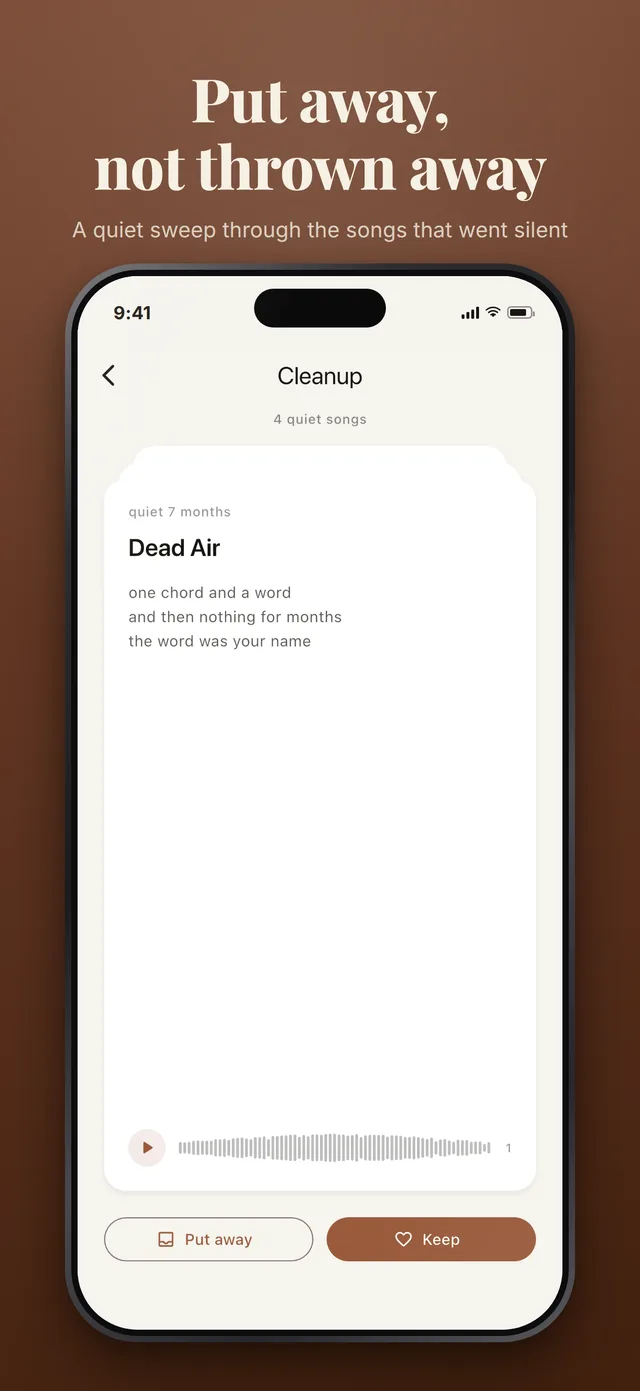
Nothing is deleted, ever. The most that happens to a song you have lost interest in is that you archive it — the same room with the colour drained out, one tap from being brought back.
Winter song
- the wind is blowing outside
- and I am still here alone
- Versions
- 4 lyric drafts
- Sounds
- 3 takes, newest first
- Confidence
- Promising
Ten seconds
Capture has to be faster than the idea leaves
The whole app is arranged around the few seconds between having a thought and losing it.
-
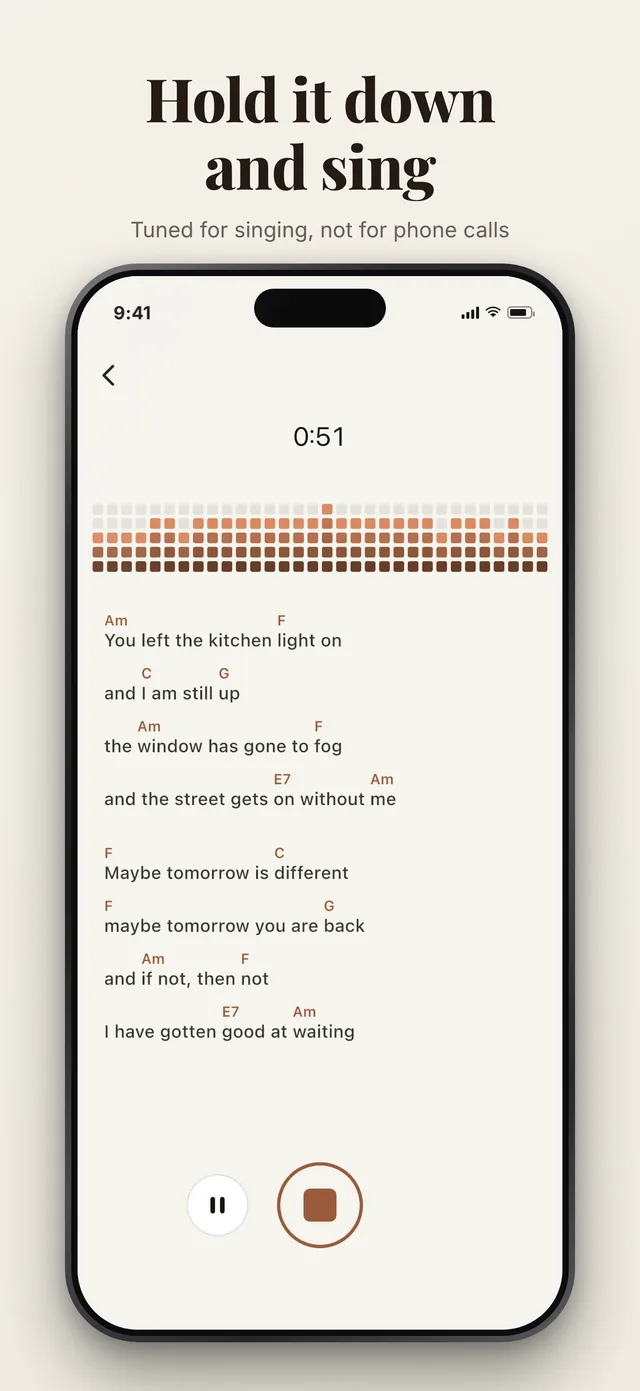
Hold the button and sing it
One press on the capture button and the recorder is already running. The take is written down before the first byte of audio arrives, so a crash leaves you a recording rather than nothing.
-
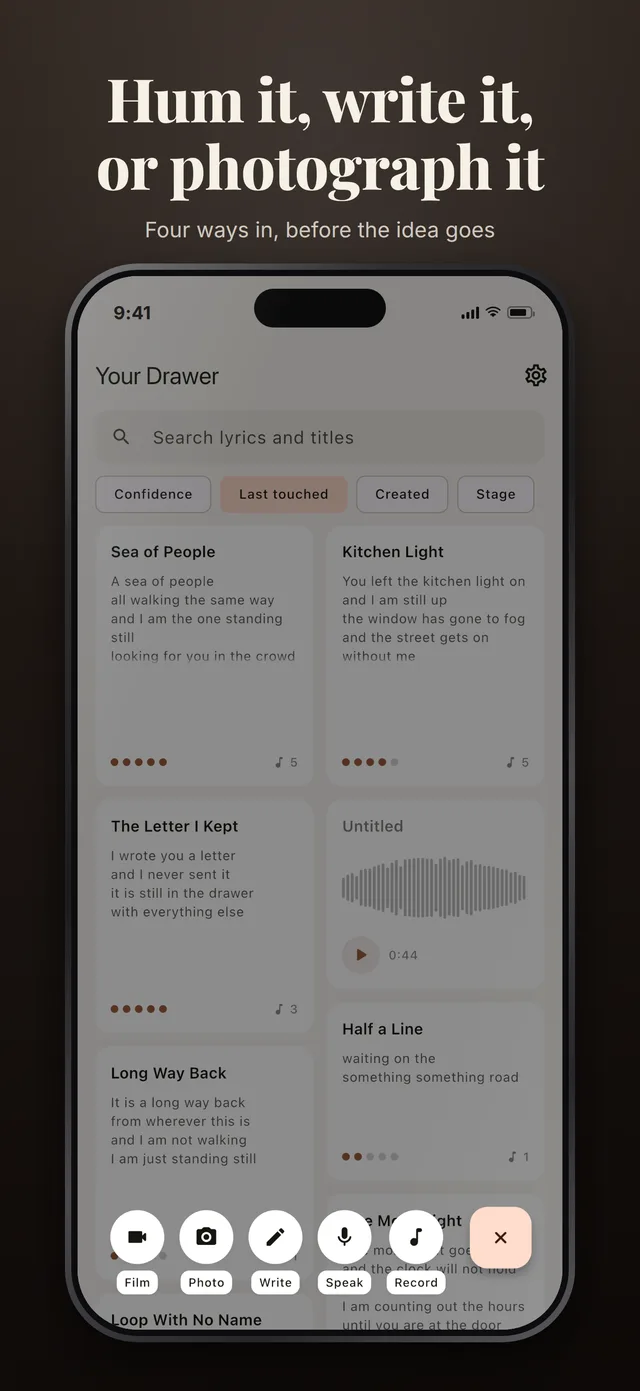
Or say it, or write it, or photograph the page
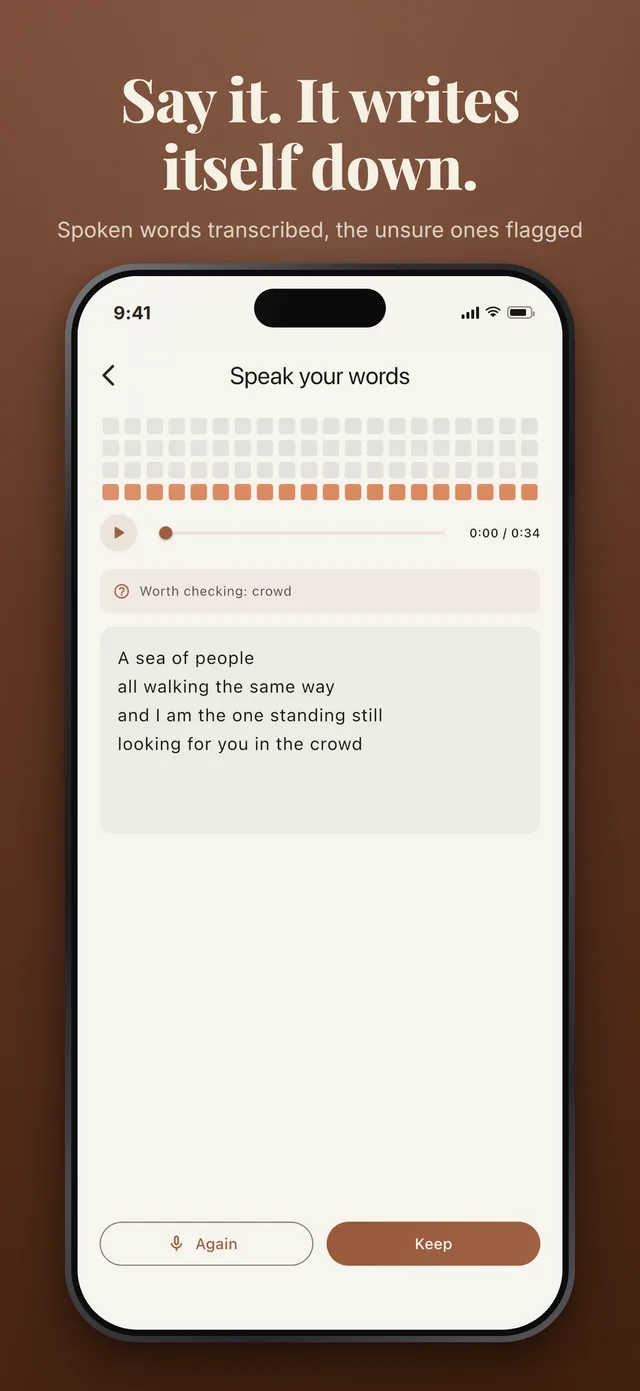
The same button opens a row of five: record, speak, write, photograph, film. Speak the words and they come back written down; a photographed page of handwriting comes back transcribed as written, crossings-out and all.
-
It lands in the drawer
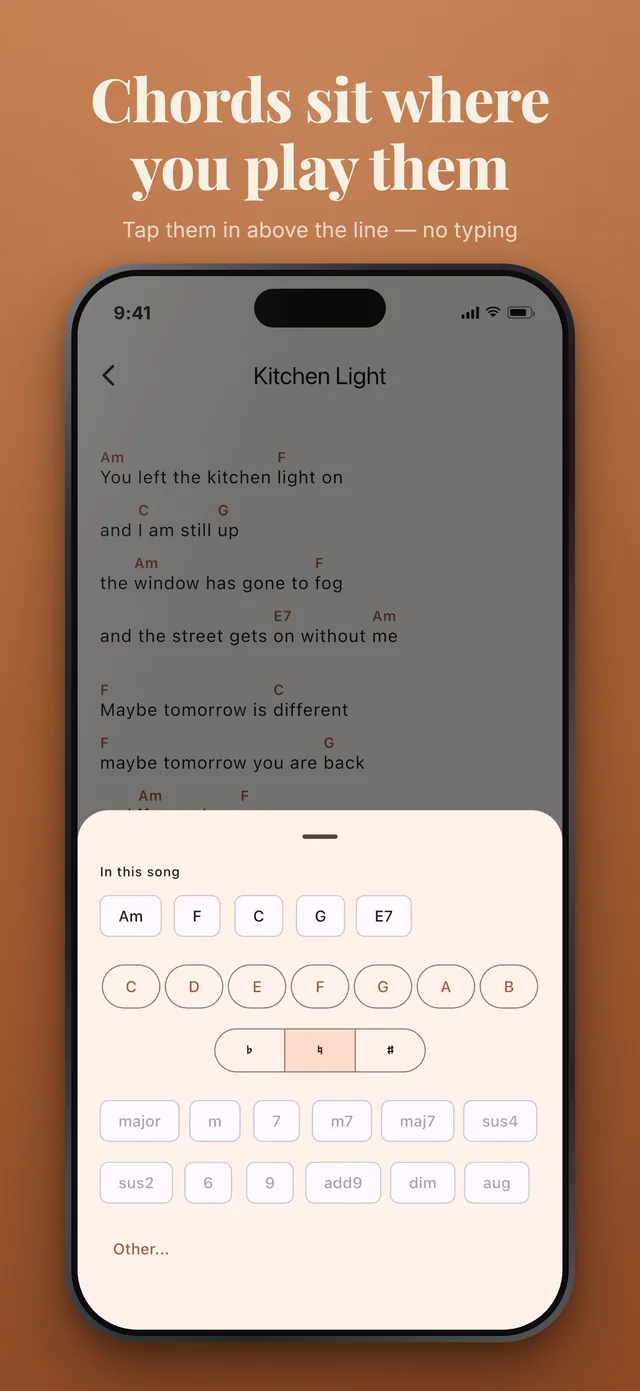
Whatever you captured belongs to a song from that moment. Add to it later and everything stays together: takes, videos, every draft, and the chords sitting over the words.
-
Come back and hear the distance
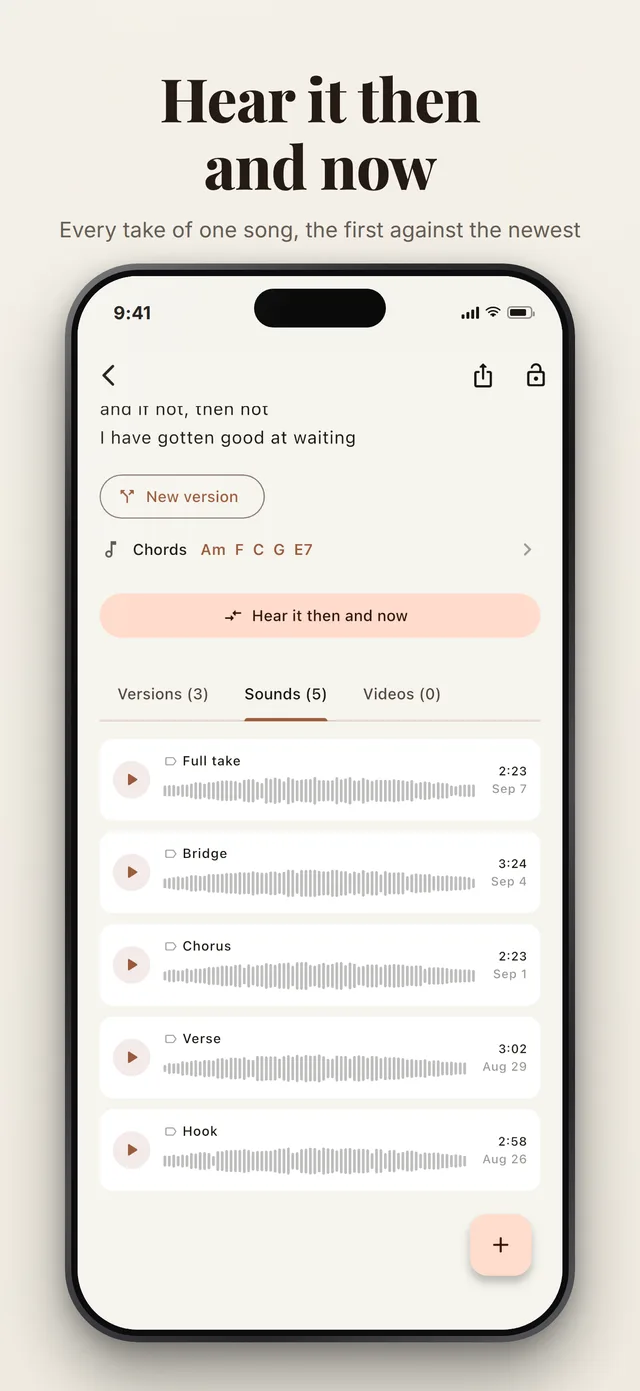
Months later, play the first take and the newest one back to back. That comparison is the thing a folder of voice memos can never give you.
Recording
Tuned for singing, not for phone calls
Platform audio defaults are set up for a voice call: they cancel echo, suppress noise and ride the gain. All three destroy a sung take, so the app switches them off explicitly and records AAC at 192 kbps, 44.1 kHz.
-
The processing is off
Echo cancellation, noise suppression and automatic gain control are all disabled. A held note stays a held note instead of being flattened.
-
Waveforms you can read
The shape of a take is sampled about twenty times a second while you sing and stored with it, so scrubbing is instant even months later.
-
Takes can be named
Chorus, bridge, the fast one. A take is otherwise immutable — naming it is the one thing you are allowed to change.
-
Then and now
Play the first take and the newest one in sequence, deliberately, and hear what the last four months actually did.
Words
Drafts are kept, not overwritten
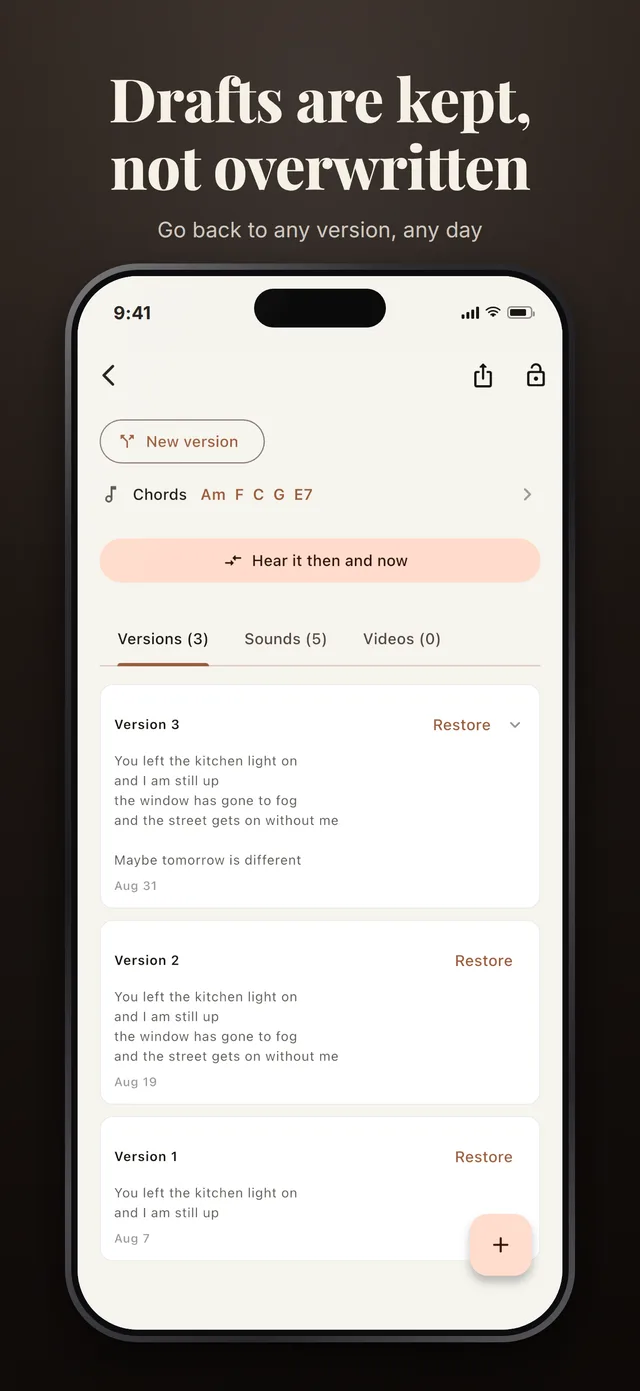
Lyric writing is subtractive. The line you cut on Tuesday is the one you want back on Friday, and one evolving note has already destroyed it.
the door song
- I never learned to say the thing
so I stood there like a fool- so I sang it at the door
- Versions
- 6, newest at the top
- From the page
- photographed, transcribed
- Chords
- Am F C G
Every draft is its own version, oldest to newest, and reaching backwards is a scroll rather than an act of archaeology. Nothing is auto-titled either — an untitled song shows its first line until you name it, because a song called “Untitled 4” is a song you will not find again.
Write in any language you like. The direction of each field is read from the text you actually typed rather than from the phone's locale, so a Hebrew lyric right-aligns itself inside an English interface.
Privacy
It is your drawer, on your phone
No account to make and nothing to log in to. Your songs stay on the phone unless you subscribe to a backup, and this is the whole list of what uses the network.
-
Local by default
The database on the phone is the source of truth. Recording, filming, writing, playback and search all work with no signal at all.
-
Two exceptions, stated plainly
Photograph a page, or speak your words, and that one image or that one take goes off to be read. Nothing else does: not the takes you sing, not the lyrics, not the titles.
-
A backup only if you ask
No sign-up to use the app, and no advertising ever. A subscription adds a copy of your songs on our servers, under your account — off until you buy it.
Answers
Writing questions, answered properly
Questions
Do I need an account?
Not to use it. There is no sign-up to write, record, film or search, and the app opens on your drawer the first time you launch it. An account exists for one thing: a backup belongs to a person rather than to a phone, so signing in is what makes your songs come back after a phone is lost.
Does it work without a signal?
Nearly all of it. Recording, filming, writing, chords, versions, playback and search run against the database on the phone. Three things need a connection: reading handwriting from a photograph, writing down a take you spoke, and the backup if you subscribe to one.
What happens to a song I stop working on?
It stays in the drawer. Songs are never deleted — the most that happens is that you archive one, which moves it to a quieter room you can still open, and bring it back from whenever you like.
Can I change a recording after I make it?
No, and that is deliberate. A take is a moment: it is kept as it was sung. You can name it, archive the song it belongs to, or record another one beside it, but nothing rewrites what you already sang.
Why does the recording sound better than a voice memo?
Because the app turns off the processing that phones apply to calls. Echo cancellation, noise suppression and automatic gain control all fight a singing voice, and they are switched off explicitly; takes are recorded as AAC at 192 kbps, 44.1 kHz.
What does it cost?
The app is free, with no advertising, and taking a copy of everything out of it is free and always will be. Reading a photographed page and writing down a take cost us money each time, so a free account gets a monthly allowance of them. A subscription lifts that allowance and adds a backup of your songs, takes and videos.
Put the next fragment somewhere it will survive
The drawer opens on the first frame, with no splash screen and nothing to set up.
Free. No account, no advertising, and nothing to sign up for.